Your EngageCX Account
Getting Started
EngageCX Account enables you access to Product Keys, EngageCX Apps and Downloads of current or phased-out products.
Logging In
Before access the EngageCX Account features you should first authenticate. Please select from the table below the authentication method to proceed with.
| Quick Sign-In | Migrate Old Account | Create a New Account |
Quick Sign-In
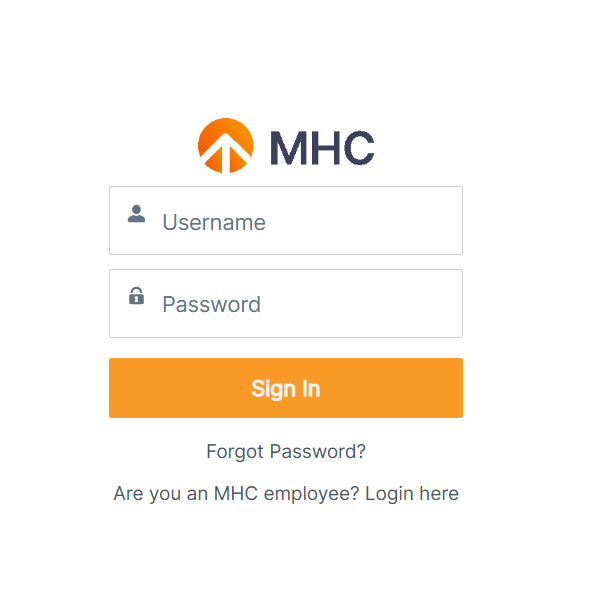
Follow the steps bellow to learn how to quickly log into your organization account.
- Access the EngageCX Website.
- Select
SIGN INfrom the top toolbar. - Enter your EngageCX Account credentials.
Username: Provide the email address of your account.Password: Provide the password of your account.
- Once you're ready, select
Sign in.
Exploring Your Account
EngageCX Account offers you access to EngageCX benefits and the possibility to personalize your account, update information or change the password of the account once you are logged in.
Check Your Account Benefits
Benefits, product keys details and support access are information that can be found under every EngageCX Account. In order to access each one of them, first, you need to authenticate into your EngageCX Account and then, on top of the page you can choose whatever area you are interested in.
- Benefits - enables a view where you can download the last versions or phased-out EngageCX Products.
- Product Keys - enables a view with all the available product keys (new and old licenses) for the associated EngageCX Account.
- Support - allows access to contact the Technical Support Team by submitting a request regarding issues or features encountered under EngageCX products.
For more details regarding one of the feature-tabs available in the first page of the EngageCX Account, please access one from the table below.
| Accessing Benefits | Accessing Product Keys | Requesting Support |
Accessing Benefits
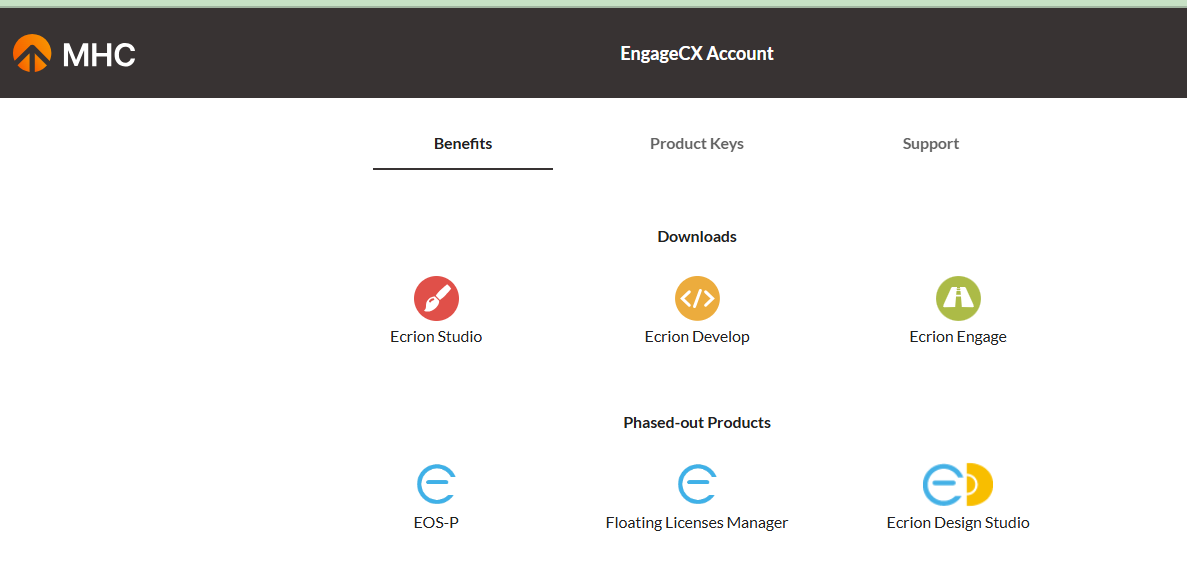
Follow the steps bellow to learn how to access the EngageCX benefits.
- Starting from the EngageCX Account welcome page, select the
Benefitstab in the toolbar. - In the page, there will be displayed products to download locally on your machine.
- Optionally, access the Cloud organization or create one, if none displayed.
Accessing Product Keys
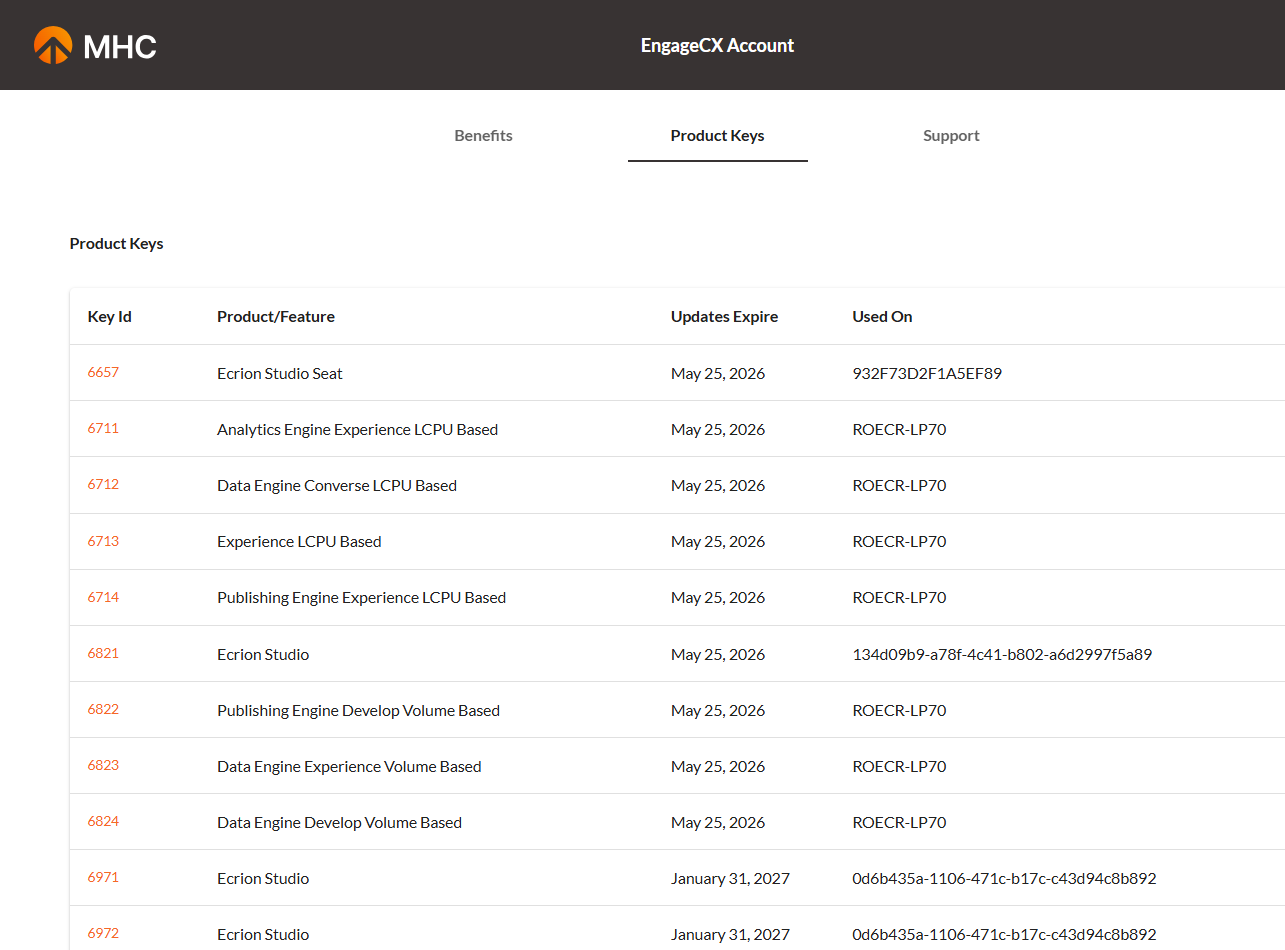
Follow the steps bellow to learn how to explore the available product keys for your account.
- Starting from the EngageCX Account welcome page, access the
Product Keystab. - A list with all the available product keys will be displayed in the page, along with the ID, the name of the product key, the expiration date and the machine on which the license is installed - if this is the case.
- Optionally, click on a
Key Idto install/uninstall a product key.
Update Your Profile
User profiles help you identify user's roles (e.g. Software Architect, Software Developer, etc.), update profile details or changing passwords of the account.
Editing Profile
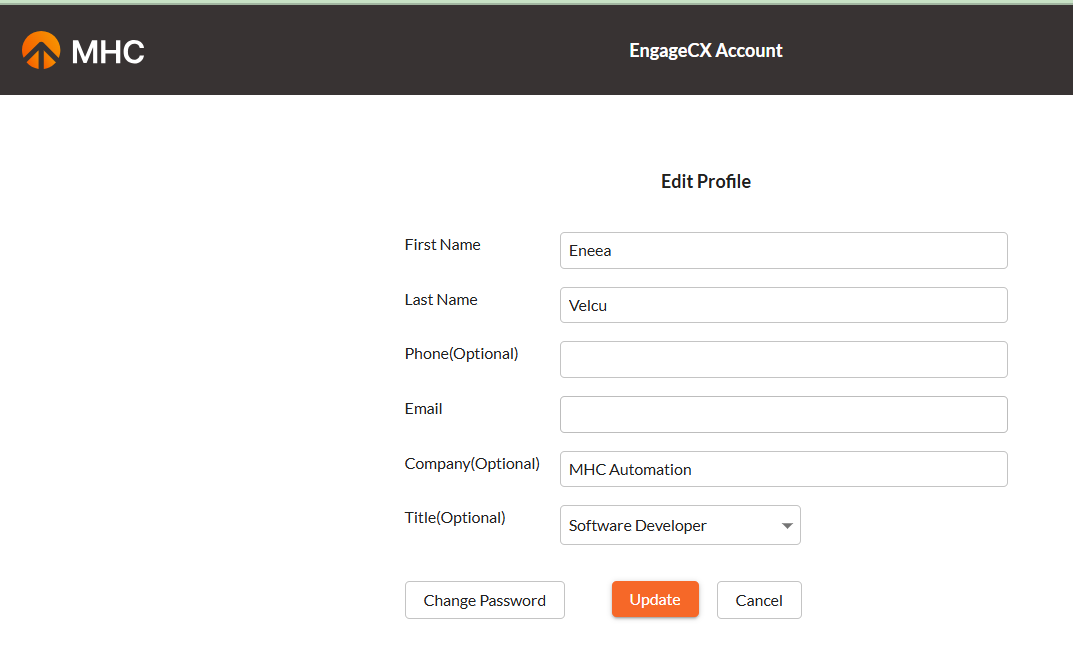
Follow the steps bellow to learn how to edit your EngageCX profile.
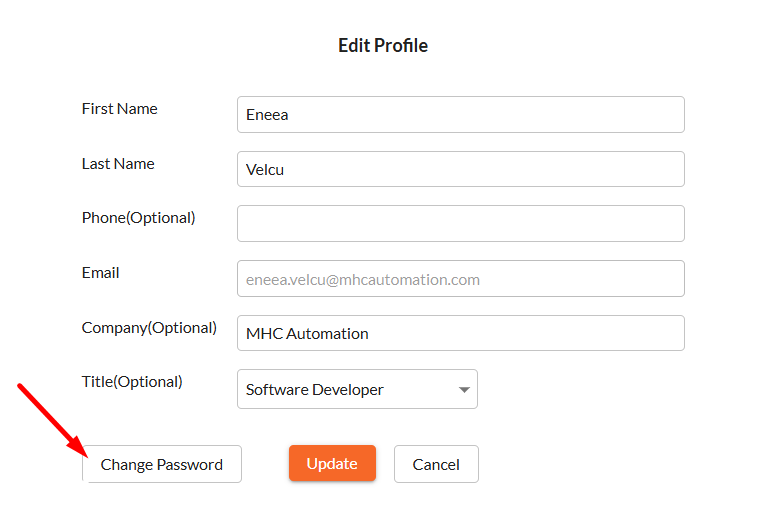
- Starting from the EngageCX Account welcome page, click on your
Account namefrom the right-corner of the toolbar. - Select
Profilefrom the contextual menu. - Update the available fields (e.g. _First Name, Company etc.) from your profile form. For more information regarding updating the email address, please visit the Changing Email Address section from the same guide.
- If you want to discard the changes, click
Cancel, otherwise clickUpdate. - Finally, your profile is updated, but your information will be refreshed at your next login.
Changing Account Password
Follow the steps bellow to learn how to change your EngageCX Account password.
- Starting from the EngageCX Account welcome page, click on your
Account namefrom the right-corner of the toolbar. - Select
Profilefrom the contextual menu. - To change your current password with a new one, click
Change Passwordbelow the form. - Complete the required fields with the old and the new password.
- If you want to discard the changes, click
Cancel, otherwise clickSave. - Your password is updated, but your information will be refreshed at your next login. You will not be logged out from your current session.
Changing Email Address
Updating your profile allows you to modify some basic information about your account (First Name, Last Name, Phone, Company and Title), but restricts editing your Email. The reason is that for each company/organization, EngageCX provides one EngageCX Account that can be associated with only one email address. That EngageCX Account should be accessed by all the necessary individuals within the organization that require access to licensing information.
If you want to update the email address - used to authenticate into your EngageCX Account - please contact us at engagecxsupport@mhcautomation.com.